Web forms can easily be designed using Dreamweaver or any other opage design tool. However, the pages generated by PHP scripts may seem more difficult - do you have to code it all in raw HTML?
In fact, you can still do most of the work in something like Dreamweaver and then edit the resulting HTML file to make the PHP script. here is how.
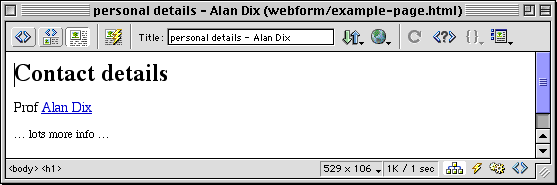
First of all imagine some sample data (e.g. for personal details data may have name="Alan Dix", title="Prof", url="http://www.hcibook.com/alan/"). Now design using Dreamweaver the way uou would like the page to look:
This is the HTML that Dreamweaver generated for the above:.
<head> |
Save this file and then copy it and change the extension at the end to ".php".
Look through the HTML for the places where there is infornmation that should change depending on the actual data (highlighted):
<head> |
Now for each of these simply replace the text with the PHP script <? php echo $varname; ?> (where '$varname' is the appropriate field name):
<head> |
That is it!!
If the data has just come from a web form or a URL with a query string (e.g. abc.php?name=Alan+Dix&title=...), we can define the variables by preceeding the above by some PHP code:
<?php $name = $_GET['name']; $title = $_GET['title']; $url = $_GET['url']; ?> |
If the code was being run as the result of a web form with the 'post' method rather than 'get' method, then $_POST would have to be substituted for $_GET ... and if it is coming from a data base then you will also need to add a bit more code to actually read the data from the database (see later).
| http://www.meandeviation.com/tutorials/learnphp/howto-design-gen.html | Alan Dix © 2002 |